DOCUMENTATION & QUERY CENTER

Search Software Documentation & Solutions

Type your query below to get instant step by step instructions with real interface screenshots.

Popular Searches:

How to Push Code to GitHub in 1 Click

Learn how to execute One Click Smart Automatic Push to stage modified files, generate update notes, tag versions, and push to GitHub.
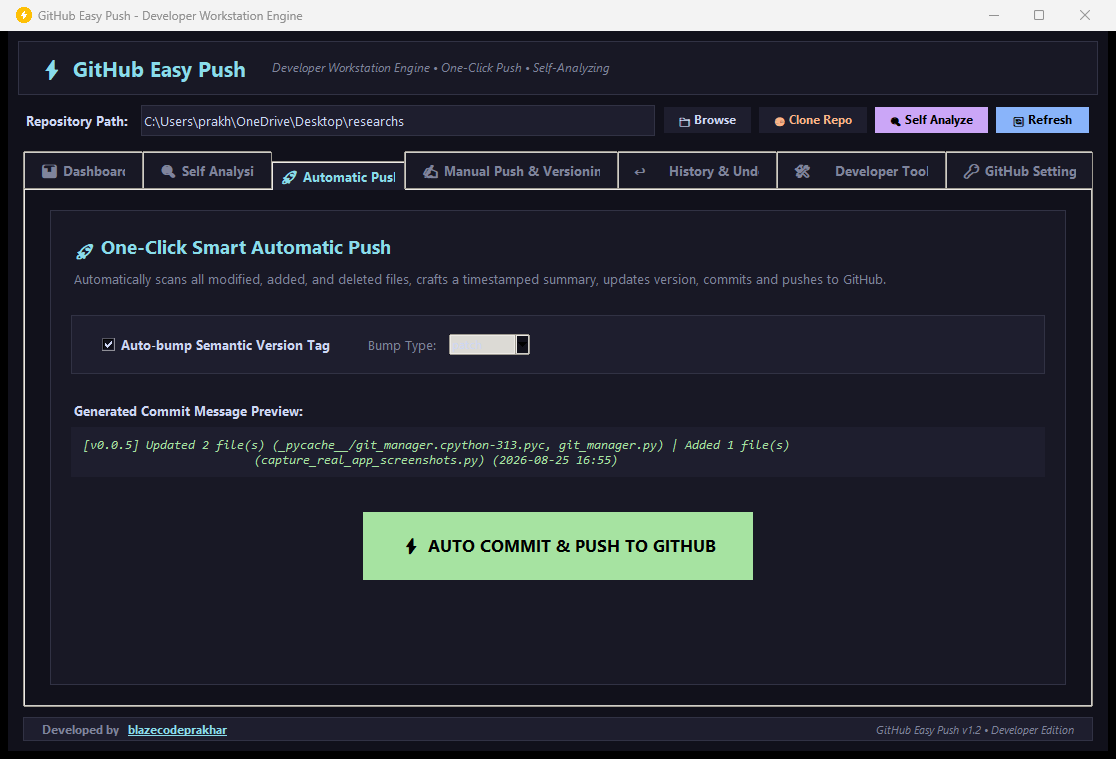
Automatic Push Interface Screenshot
Step by Step InstructionsAutomatic Push
1. Open GitHub Easy Push and select your project folder.
2. Navigate to the Automatic Push tab.
3. Check Auto bump Semantic Version Tag if you want automated versioning (Patch, Minor, Major).
4. Click the big AUTO COMMIT AND PUSH TO GITHUB button. Done!
How to Undo a Commit or Rollback Repository

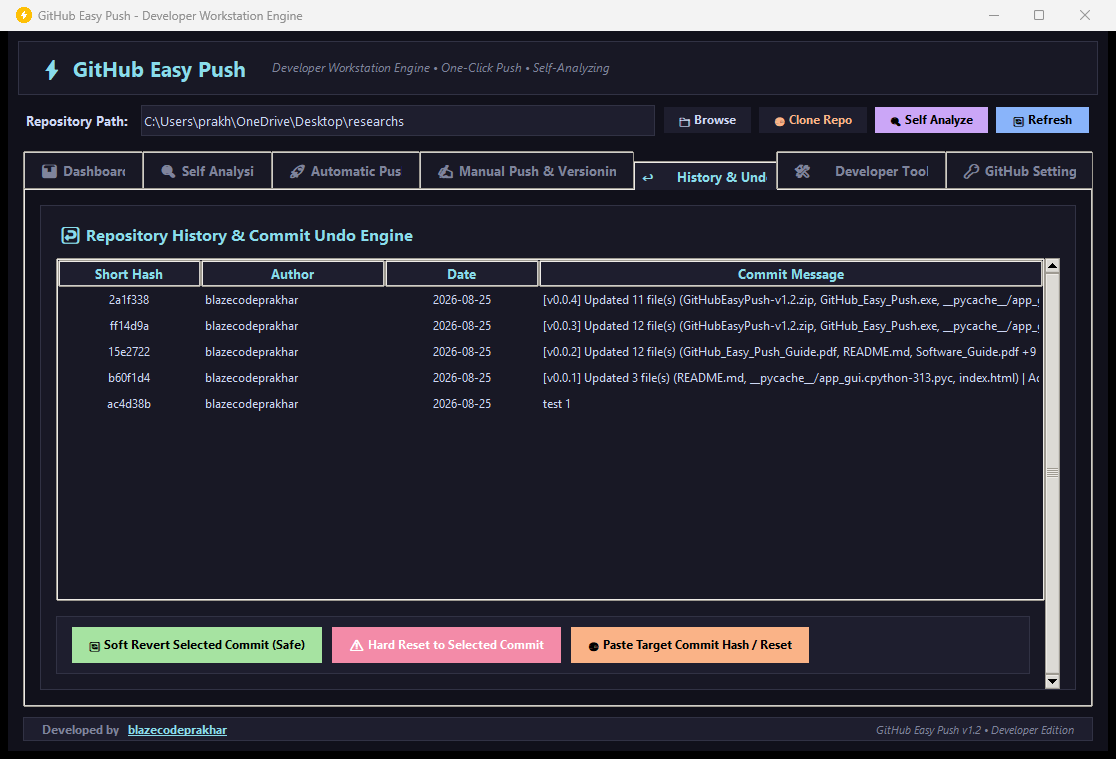
Revert mistakes safely using Soft Undo or Hard Reset to any target commit hash.

Commit History and Undo Interface Screenshot
Undo MethodsHistory Tab
Soft Revert: Select a commit and click Soft Revert Selected Commit. Creates an inverse commit preserving your local edits.
Hard Reset: Select a commit and click Hard Reset to Selected Commit. Restores repository state strictly back to target commit.
Paste Commit Hash: Click Paste Target Commit Hash to revert or reset to any remote commit hash.

How to Set GitHub Remote Origin URL & Auto Init

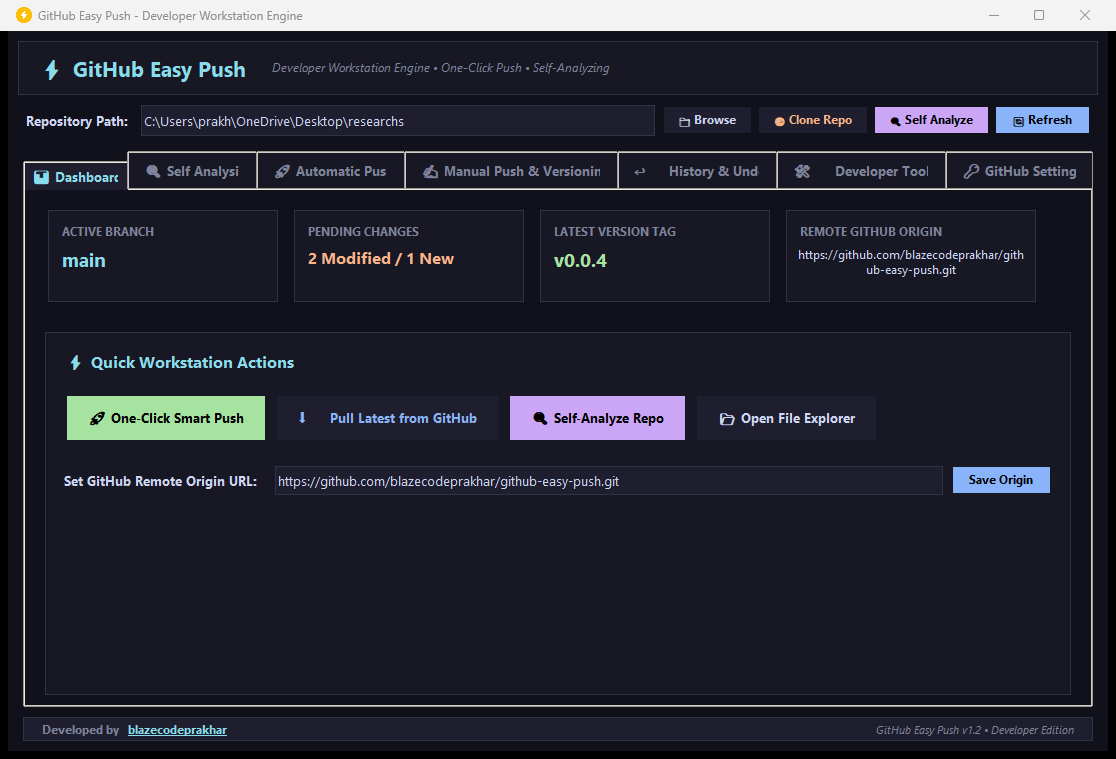
Connect any local folder to your remote GitHub repository.

Dashboard Interface Screenshot
Setting Remote LinkSetup
1. Paste your GitHub repository URL (https://github.com/username/repository.git) into Set GitHub Remote Origin URL.
2. Click Save Origin.
3. Smart Auto Init: If the folder is not initialized as a Git repo yet, click Yes when prompted to auto initialize Git!

How Semantic Version Bumping Works

Automatically calculate and tag release versions (v1.0.0 to v1.0.1, v1.1.0, v2.0.0).

Version Bumper Interface Screenshot
Version Increment ModesSemver
Patch: Increments patch version (e.g. v1.0.0 to v1.0.1) for bug fixes and routine updates.
Minor: Increments minor version (e.g. v1.0.0 to v1.1.0) for new features.
Major: Increments major version (e.g. v1.0.0 to v2.0.0) for major releases.

How to Use Workspace Self Analysis

Inspect parent child commit lineage, audit .gitignore rules, and check sync health.

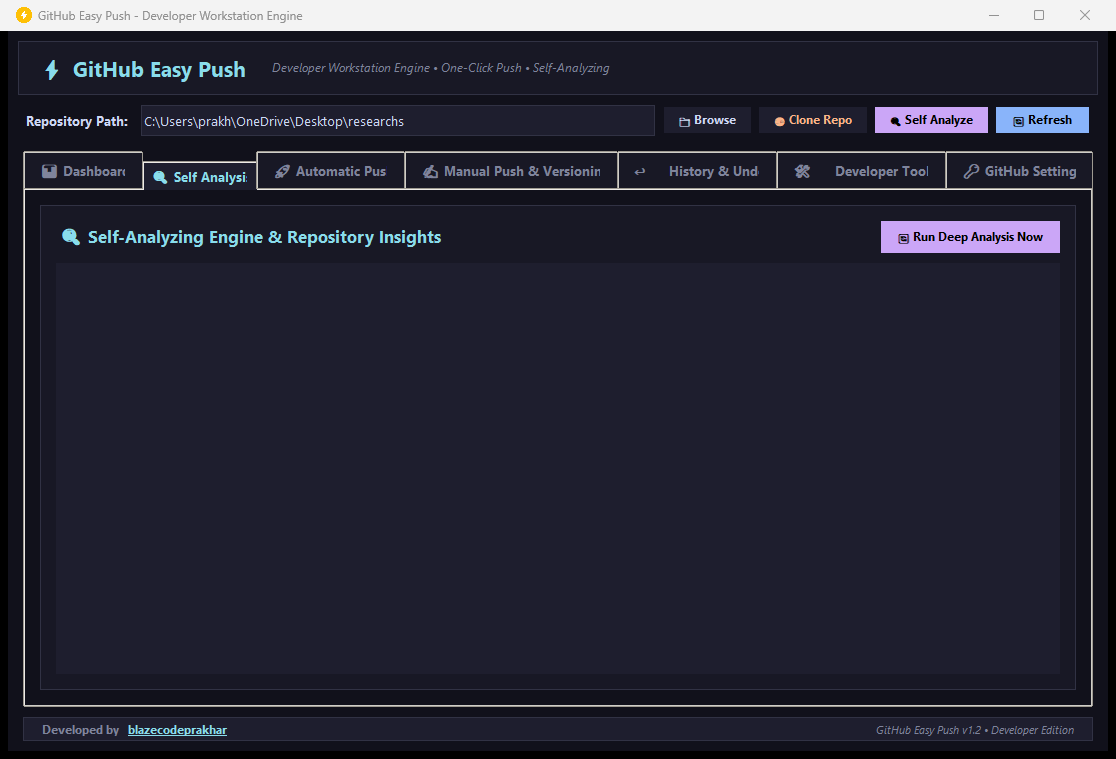
Self Analysis Interface Screenshot
Self Analysis StepsEngine
1. Click Self Analyze in the top bar or open the Self Analysis tab.
2. Review discovered Git repos, parent lineage graph, and .gitignore rule protection.